Here we find all the labs and write-ups for the security knowledge framework!
These labs are correlated to knowledge-base id's which are on their place
again correlated to security controls such as from the ASVS or NIST, etc.
The labs are all downloadable from the following Github repository:
The images can also be found on the skf docker hub. These skf-labs images are automatically pushed to the docker registry on each commit to the Github repository.
Useful tools
First thing we need to do is to be able to investigate the requests that are being made by the labs/applications. We do this by setting up our intercepting proxy so we can gain more understanding of the application under test.
Burp suite:
ZAP: For the latest features we want to advise to use the Weekly build of ZAP. This is using the latest and greatest improvements + Libraries
How to add a Lab & write-up
When you want to contribute and add your own labs then please make sure you use the styling template in one of the lab challenges. We think its really important to have one look and feel and for able to merge your lab its required to use the SKF template. You can copy this from any of the labs we currently already have.
For adding the write-up for the lab we advice to create a copy of on existing write-up and work from there or use the template.md file as a base. You can store all your images in .gitbook/assets/ and also make sure you correlate your lab to one of the knowledge base item identifier in SKF. When you completed the lab and the write-up you only have to add it to the SUMMARY.md file and you are ready to create your Pull Request.
After the pull request you can find your nice styled write-up here:
Deploying SKF Lab's from your terminal
You can now deploy skf-lab from your terminal, with , you don't need to setup server if you don't want to with skf-cli you can deploy lab with security knowledge frameworks own api, if you want you can also search and deploy lab using skf-cli.
Server Side Request Forgery (SSRF) attack, where an attacker abuse the functionality of a vulnerable web application to send crafter request which which read or update internal resources. Attacker can attack an internal network or application behind the firewall with this attack which is normally not accessible through external network and even attack the internal network web applications.
SSRF attack can be used to make requests to other internal resources for accessing the metadata and to run a port can on the internal network. URL schema such as file:// can be used to read the file from the server. Attackers can use legacy URL schemas such as dict, gopher, expect etc which can even cause remote code execution.
First lets see what type of services are open on the server that we try to attack.
So as we confirmed the only open port is 5000. Now lets have a look at the application.
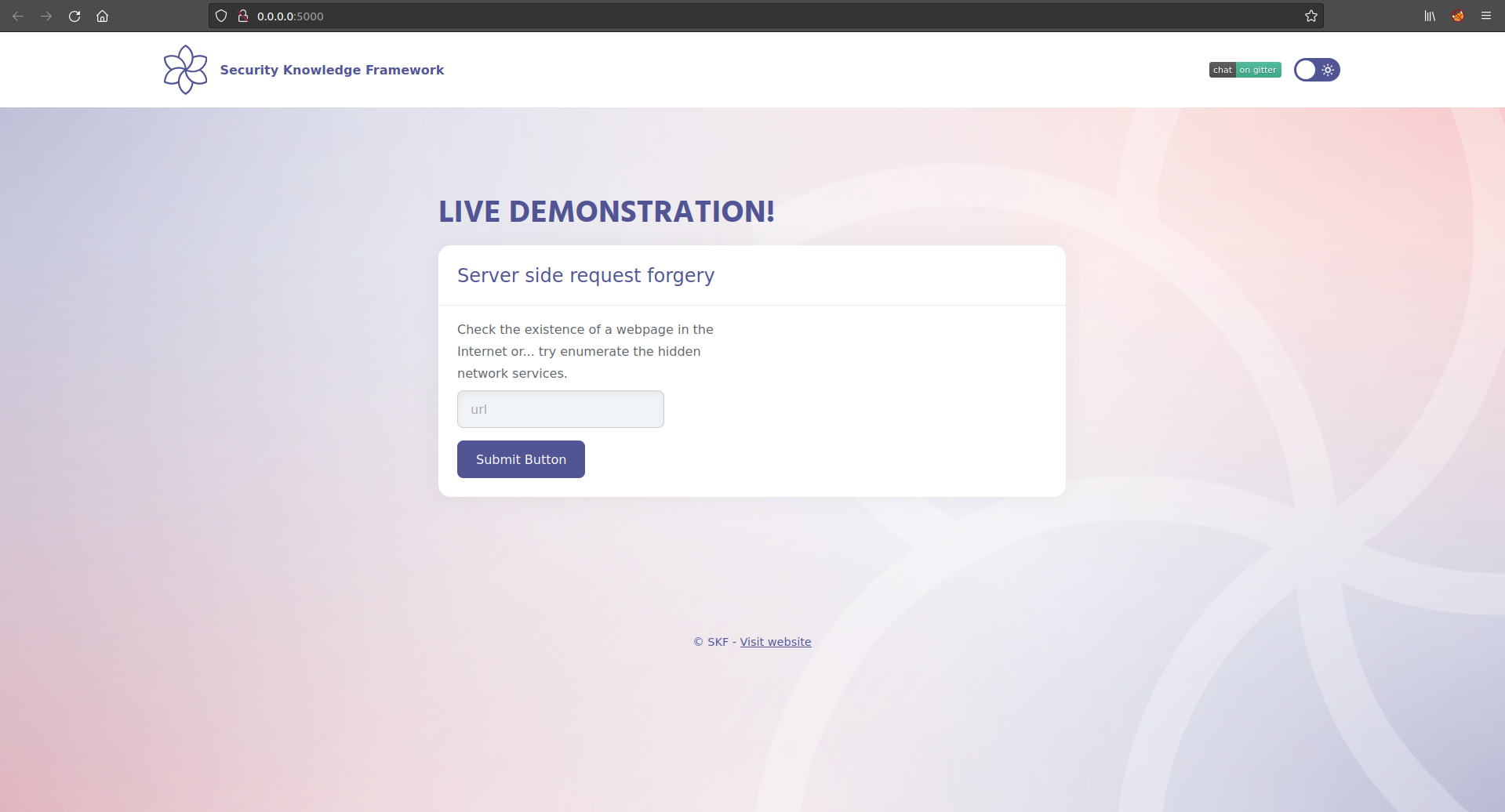
Here we have a keep alive functionality where we can verify different website's if they are alive and reachable. Lets try with google.com
Exploitation
The keep alive functionality was intended to be used for external websites but we can abuse it to also check for internal IP addresses and enumerate services. Lets try a known port like for example 3306 a Mysql service, maybe this is running on the server?
Success! As we observed, we have found an Mysql service running locally.
Yes it was having a Mysql service running on the local listner 127.0.0.1 and that is why our Nmap scan didn't found it but with the SSRF vulnerability in the application we can find it.
Also there is another service running, find a way to automatically enumerate all the possible services and find the last one.
Additional sources
$ sudo docker pull blabla1337/owasp-skf-lab:ssrf
$ sudo docker run -ti -p 127.0.0.1:5000:5000 blabla1337/owasp-skf-lab:ssrf
Gibson:skf-labs gibson$ nmap -vvvv -sT -sV -P0 127.0.0.1
Warning: The -P0 option is deprecated. Please use -Pn
Starting Nmap 7.70 ( https://nmap.org ) at 2019-03-24 10:03 CET
NSE: Loaded 43 scripts for scanning.
Initiating Connect Scan at 10:03
Scanning localhost (127.0.0.1) [1000 ports]
Completed Connect Scan at 10:03, 5.41s elapsed (1000 total ports)
Initiating Service scan at 10:03
Scanning 1 services on localhost (127.0.0.1)
Completed Service scan at 10:03, 17.02s elapsed (1 services on 1 host)
NSE: Script scanning 127.0.0.1.
NSE: Starting runlevel 1 (of 2) scan.
Initiating NSE at 10:03
Completed NSE at 10:03, 0.07s elapsed
NSE: Starting runlevel 2 (of 2) scan.
Initiating NSE at 10:03
Completed NSE at 10:03, 0.01s elapsed
Nmap scan report for localhost (127.0.0.1)
Host is up, received user-set (0.00027s latency).
Scanned at 2019-03-24 10:03:24 CET for 23s

PORT      STATE    SERVICE       REASON      VERSION
5000/tcp  open     http          syn-ack     Werkzeug

Read data files from: /usr/local/bin/../share/nmap
Service detection performed. Please report any incorrect results at https://nmap.org/submit/ .
Nmap done: 1 IP address (1 host up) scanned in 22.94 seconds